


Introduction
At BHS, we're here to support you with a range of resources designed to help you promote your business, connect with your clients, and reach new people.
We want you to be proud of being part of our APC community and celebrate your commitment to coaching as your chosen profession.
Our toolkit has been designed to be an invaluable asset for you and your business, and we plan to add more tools as and when they’re created.
If you feel anything is missing and should be added, please email our team: accreditedprofessionals@bhs.org.uk
Terms and conditions
chevron-down
chevron-up
These terms and conditions create a contract between you (‘You’ or ‘Your’) and The British Horse Society, (a Registered Charity Nos 210504 and SCO38516) (‘We’ or ‘Us’).
By downloading or using a resource from this page, or the Print Portal, You confirm Your understanding of, and agreement to comply with, the terms and conditions set out below.
BHS resources can only be used by current members of the BHS Accredited Professional Community. This includes freelance members and members within BHS Approved Centres. You must stop using and sharing any resource if your membership expires. You must remove any BHS product logos you use from any websites or social media pages you use.
BHS products (including but not limited to, Challenge Awards, Ride Safe, Horse Explorers and Pony Stars) can only be delivered within a BHS Approved Riding School or by a current Accredited Professional on a freelance basis. An Accredited Professional cannot deliver BHS products with a non-BHS Approved Riding School. This also means that any non-BHS Approved Riding School or an individual not within the Accredited Professional Community scheme cannot use the logo, branding or imagery, or imply that they are Approved/Accredited or advertise delivery of any BHS product.
You must have received any appropriate training to deliver BHS products before using and sharing any resource that advertises Your delivery of such products. Training is compulsory to deliver and be approved to sign off: Ride Safe silver challenge award and Stage 4 Training and Skills Record sign off. Training is strongly advised before delivering Pony Stars, Horse Explorers, Challenge Awards and training others for Career Pathway Assessments. Please get in touch with the Education Team to find out more.
When including Your qualifications on any promotion You must display these correctly and not imply in any promotion or advertisement You hold qualifications that You have not achieved.
The use of these logos and resources within the Toolkit is in consideration for You delivering BHS products and subject to You adhering to Your obligations under this agreement and the Terms and Conditions. We reserve the right to terminate your Accredited Professional Community membership in the event that We became aware that You have broken any of these conditions.
Promote yourself
Advertise your business on our website
One advantage of Accredited Professional membership is the opportunity for you to promote your business on our website. To update your details, simply complete and return the APC New Profile form.
Our website serves as an excellent platform to advertise your business, and we regularly direct candidates and clients to the ‘Find a Coach' web page. You can find your current listing here.
This web page is always busy, with an average of more than 27,000 visits each month. With so many riders searching for a coach, a strong, up-to-date profile can make a real difference.
We asked BHS members how they choose a coach, and their feedback was really clear:
• 84% read your biography first
• They want to know who you are, your strengths and any specialities
• They look for a coach whose training ethos matches their own
• They want to see which disciplines you teach and to what level
• And they value practical details like your price range, travel distance and facilities
A great way to make your profile even more welcoming is to add a clear, friendly profile picture.
Now is the perfect time to update your profile! You can do it anytime with our online form on the APC Hub.
Promote your business on social media
As you know, social media is a fantastic way for you to advertise your business for free!
In this section, you'll find example social media posts and images to help you in starting your social media promotion.
Additionally, you can download more free digital resources and posters from our Print Portal to enrich your social media content. Guidance on using your own photos, including when to obtain consent for their use, is also provided.
We recommend including your qualifications when promoting yourself as an APC. This not only highlights your achievements, but it also showcases your expertise and reassures prospective clients of the high standards you maintain.
Text for coaches
chevron-down
chevron-up
Text for centres
chevron-down
chevron-up
Social media advice
chevron-down
chevron-up
Consider converting your social media pages to business versions, accessing additional tools to promote your service.
Put your service on the map
Keep your various profiles up to date with your address, business hours and contact information so people can get in touch and know where you are based.
Offers are free and easy to create.
For example, Facebook offers can help you bring back current customers and attract new ones to your business. Create coupons and discounts directly from your Facebook business Page to let people know about special offers and deals.
Extend your reach by promoting your offer or post further.
If you want to increase the reach of your offer or normal post, you can boost it from your Facebook business Page. Even a £5 boost can make a difference.
Add an action button to your Facebook Page.
From your Feed, click Pages in the left menu. Go to your Page. Click + Add a Button below your Page's cover photo.
Select a button from the drop-down menu and follow the on-screen instructions. A call the action like ‘Contact us’ or ‘Book now’ can increase traffic.
Advertise to local customers.
Connect with more people in your area with ads on Facebook. You can advertise directly from your Facebook Page to promote your business locally. Just click or tap the Promote button at the top of your Page, and choose the "Promote your business locally" goal. Be sure to set and manage your budget for your ads and monitor regularly.
Measure your success.
Check Facebook Ad Centre directly from your Facebook Page to see how your campaign is performing. Get insights about what images and messages resonated most with your audience and learn more about the people you were able to reach with your ads.
How to create a Google Business Profile
chevron-down
chevron-up
To set up a Google profile for your equestrian coaching business, you create or sign in to a Google Account, go to business.google.com, enter your business name and category (e.g., Horse Riding Instructor), add your service area, verify your business, and then optimise your profile with photos, services, and reviews.
Click here for a clear, step-by-step guide to follow along with links to resources and help.
APC Clothing
chevron-down
chevron-up
Showcase your success with the BHS APC clothing collection. Designed for all-weather durability, this range reflects your commitment to equestrian excellence.
Wearing our APC branded clothing supports not only your professional accomplishments, but also our charitable work.
Explore the full range here
APC Business Card
chevron-down
chevron-up
If you'd like to create your own business card, please use our template on the Print Portal. Simply personalise it with your name and contact details and ask Jeff @ Hague to print you some copies.
Background Images for Online Calls
chevron-down
chevron-up

Print Portal
Use our Print Portal to customise and download digital assets, as well as to order printed materials. Resources tailored specifically for Accredited Professional Coaches and Approved Centres are available.
Print Portal Guide
chevron-down
chevron-up
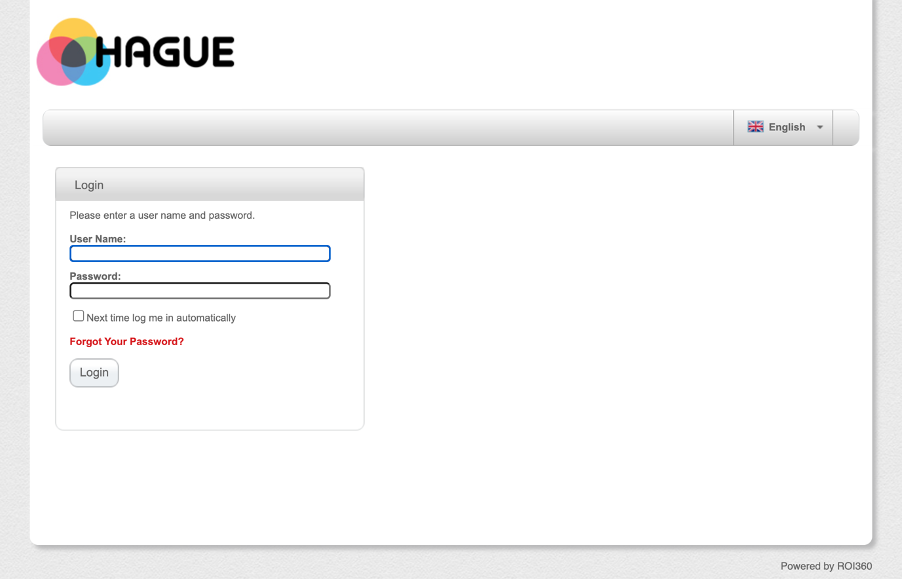
Step 1. Login - https://www.hagueonline.co.uk/Login.aspx
If you've forgotten your login or require one to be set up, please contact either andreea.gheorghi@bhs.org.uk or jeff.bryant@hague-group.com.
Step 2. You'll be able to see your APC section containing all resources.
Step 3. Editing a product
In this latest edition of the Print Portal, we're now able to edit within the portal itself. You can change the photos, amend the wording and drop-down options.
Step 4. Downloading the final design
Once you've edited the PDF, you'll be able to able to download the file directly onto your PC. The design file won’t be able to be sent to any external printers. To print copies, you'll need to go through Hague.
Step 5. Sending a product to print
Once you're happy with the final design. click next.
You can include additional instructions for the printer and select the quantity that you require, which in-turn will update the cost of the print. Once you're happy, click ‘Add to Basket’. and your items will appear in your basket.
Step 6. Payment
Orders cannot be paid for on the portal. Instead, add your mobile number in the "Phone" section and you'll be contacted by Jeff Bryant (Hague).
Print Portal Support
chevron-down
chevron-up
Log in: If you've forgotten your login, or would like one set up, please contact the relevant team:
If you're an APC, contact accreditedprofessionals@bhs.org.uk
If you're an Approved Centre, contact your Business Support Manager.
If you're having trouble working the print portal, ordering your resources or would like to follow up an order, please get in touch with jeff.bryant@hague-group.com or call Jeff on 07973853010.
Downloads
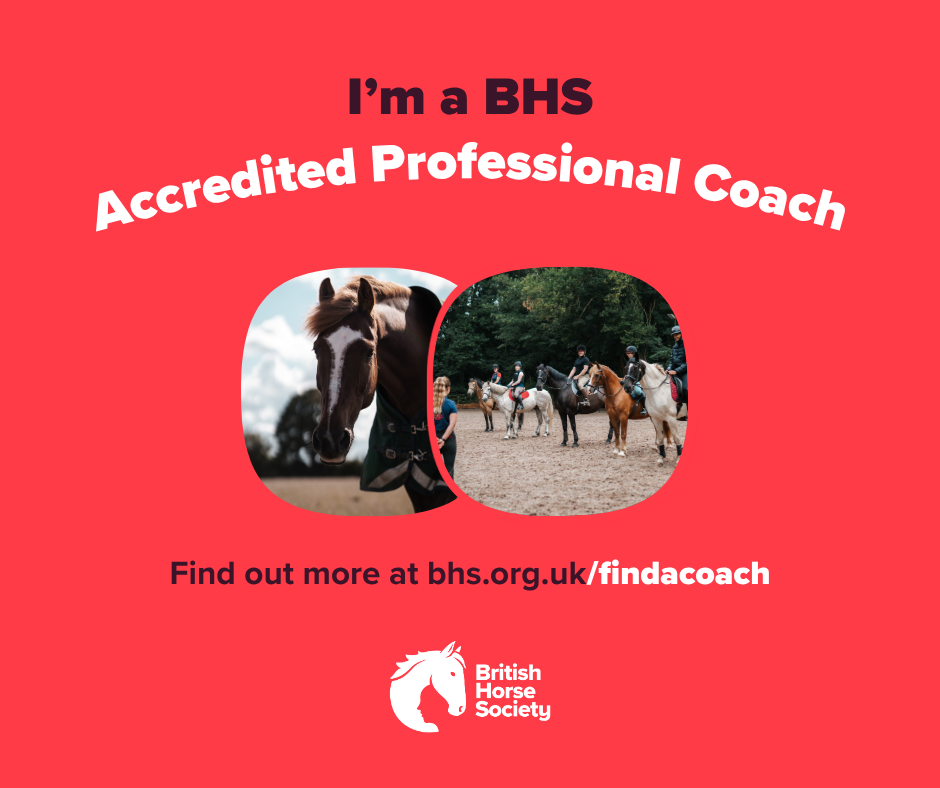
We have three social posts that you can pin to the top of your Facebook or Instagram profiles. Click the button underneath the one you'd like to open, then right-click to save.
Logo guidelines
We take pride in our Accredited Professional Community and the standards you maintain in every facet of your coaching.
We hope you’re proud to display your accreditation with us and embrace the community you belong to. We encourage you to use the BHS logo to:
• Highlight your Accredited Professional status
• Reflect the ethos and superior standards of our community
• Inform others about any BHS products you offer
• Showcase the advantages for clients in choosing an Accredited Professional
General guidance
chevron-down
chevron-up
The logo must remain unaltered in its form. Avoid adding any borders or embellishments, altering its colours, shape or font, or removing/changing any elements.
You can resize the logo to the needed dimensions but please make sure it maintains its proportions to keep its true appearance.
Should you require a larger version of the logo, make sure it retains a high resolution to prevent it from appearing fuzzy or pixelated; if it doesn’t look right, please contact us, and we can send you a suitable size.
Always surround the logo with clear space to ensure visibility and impact. When positioning it alongside your own logo, make sure there’s space between the two.
Recommended places to use the logo
chevron-down
chevron-up
- Posters and leaflets. Have a look at our editable and ready-to-print posters on our print portal
- Banners
- Websites and professional social media pages
Photo guidelines
When sharing photos on social media or any public platform, always consider how they might be perceived, especially by those outside the equestrian community. Equestrians hold a responsibility to present equestrianism and horse care and welfare positively.
The concept of Social License to Operate is gaining traction in the media, and as an industry professional, it is crucial to be aware of how any image or video you share may be interpreted. Our photo guidelines are crafted to help you display your work positively and professionally, ensuring high standards of horse care and welfare and safety practices.
Download here: Photo guidelines + Consent forms